Beresta

Mac · iPhone · iPad · on the App Store · open format

Read like it matters

A library of your books and articles, highlights made right in the text, and excerpts that travel to your Obsidian notes on their own. Everything lives on your disk: the app runs with no network and talks to no server of mine.

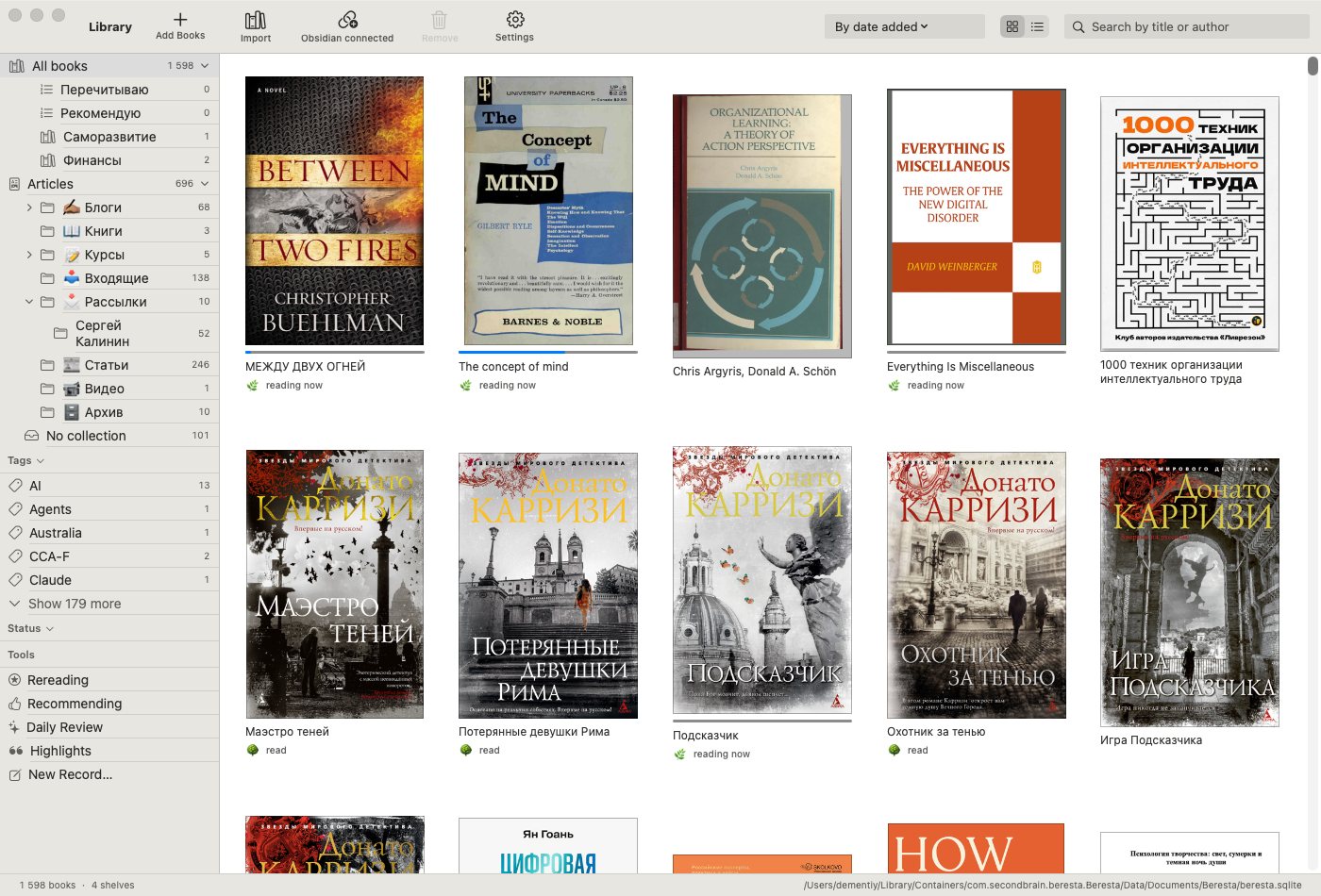
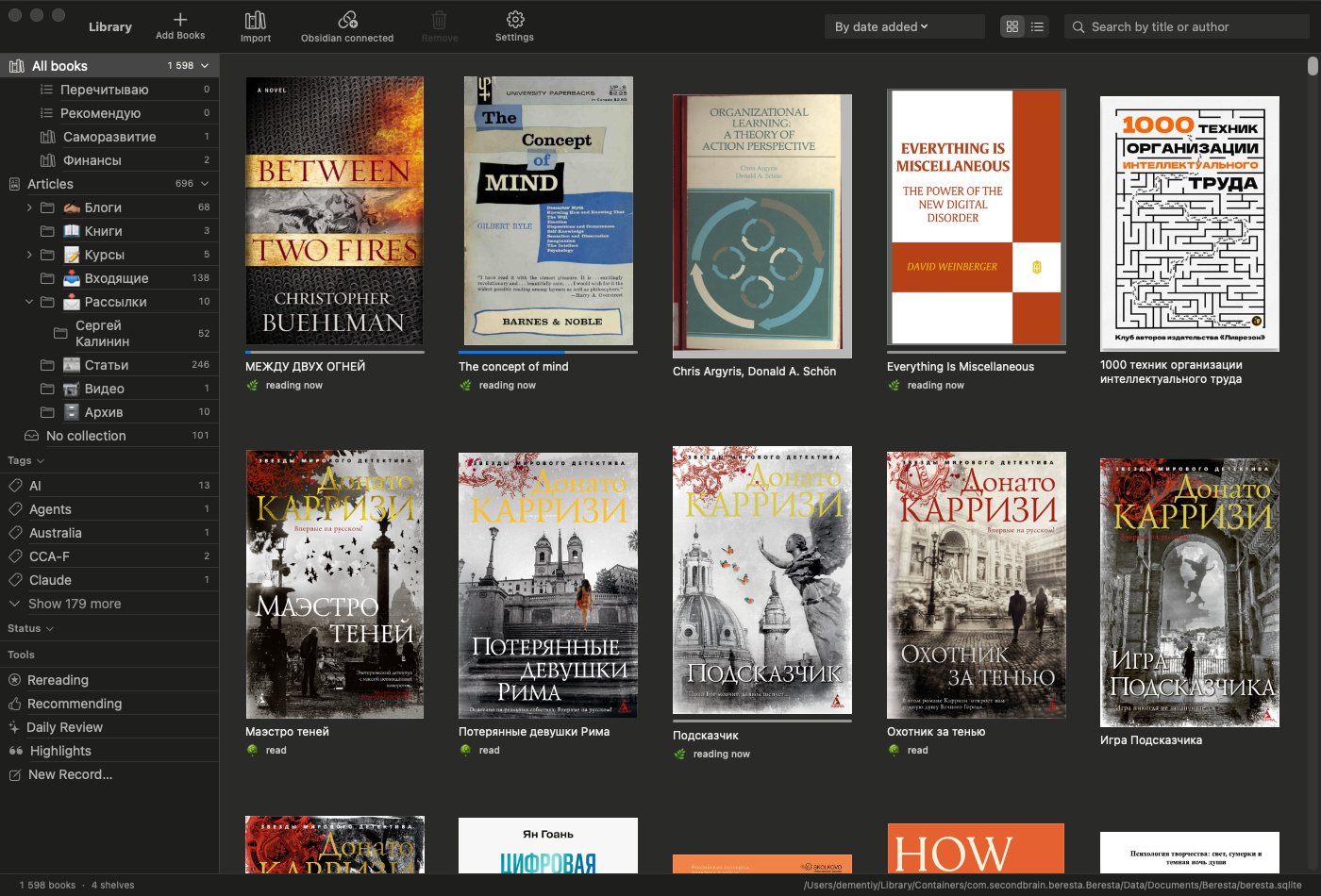
The Beresta library: a grid of covers, with shelves, collections and tags listed with counts in the sidebar The Beresta library in dark mode: a grid of covers, with shelves, collections and tags listed with counts in the sidebar
Not a mockup: the author's own library — 1,598 books and 696 articles carried over from Calibre and Zotero with covers and highlights intact. Where a book had no cover, Beresta takes one from the first page of the file.

Library

A catalogue, not a folder of files

Twenty years of books is not a list of titles. It is duplicates, several editions of the same book, tags you invented yourself, and the eternal question of where you read that. Beresta's catalogue is tested on a live library of two thousand-odd records and 21 GB of files.

Shelves, tags, filtering

Shelves with counts and manual ordering. Reading lists. A golden shelf of 28 books where a new arrival pushes out the weakest, each with a reason recorded — rereading, or recommending. Tags are edited by hand and survive a re-import.

Duplicates and editions

One book can hold several files — an EPUB from your phone, a scanned PDF, an FB2 someone sent you. Beresta folds them into a single record, shows how far you read in each, and remembers if you decided two books were not the same after all.

Moving in without losses

A Calibre library moves over whole: books, covers, shelves and the highlights you already made. From Zotero come documents, annotations and saved article snapshots — along with the collection tree.

Articles from the web are books too

A button in your browser — Chrome, Safari or Firefox — files the page into the library. Beresta builds a real EPUB out of it, with images, a table of contents and text free of banners, and it reads in the same engine, with the same highlights, as any book. The original snapshot and the address it came from stay beside it.

The page does not go to anyone's cloud: it goes to a receiver at 127.0.0.1 with a key, which is to say it never leaves your machine. RSS feeds are subscribed in the same place and arrive the same way.

Your library, reachable from anything

Beresta on your Mac serves the library as an OPDS catalogue — the one nearly every reader app speaks. Open the address on a phone, a tablet, an e-ink reader, and your shelves are there. No mailing files to yourself, no uploading them anywhere.

Honestly, where the catalogue ends

  • Full-text search across the contents of your books is Mac only; on the phone you search titles and authors, and inside the open book everywhere.
  • Covers and metadata are not fetched from the web by title or ISBN.
  • The browser extensions are installed by hand for now — they are not in the stores.
  • Feeds are polled only while the app is open.
  • On iPhone and iPad, tags, filtering and editing a book are not available — that is Mac only so far.
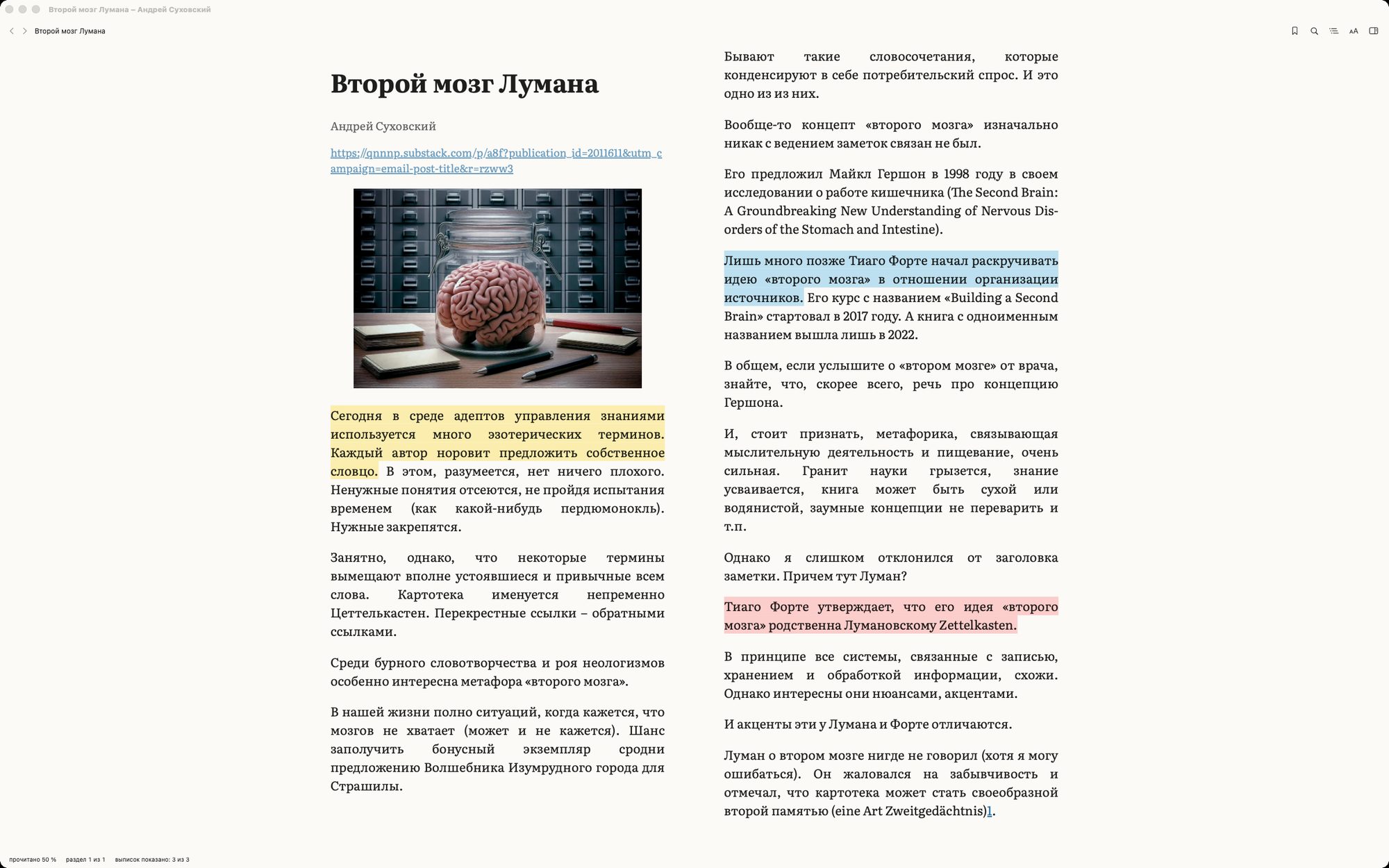
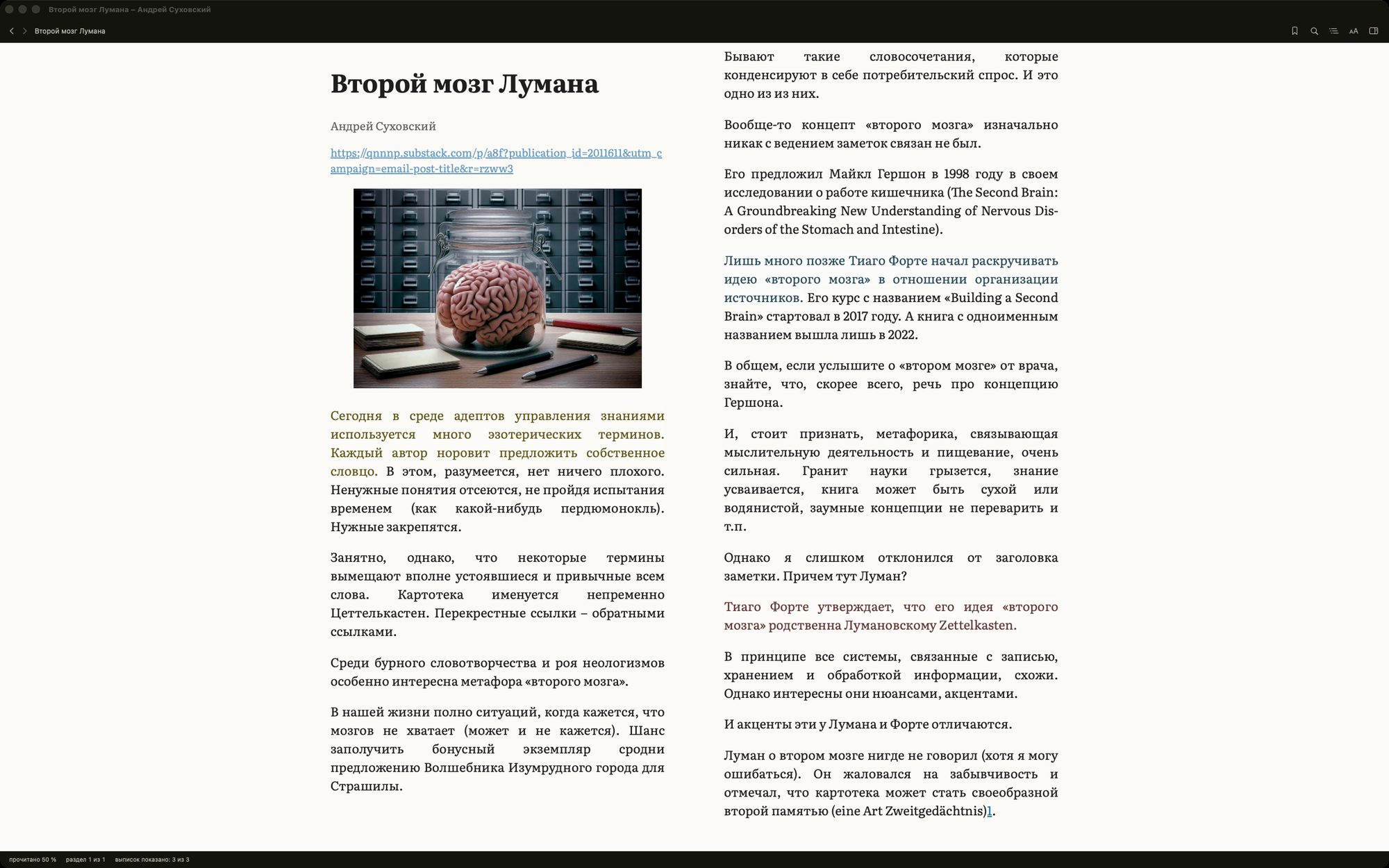
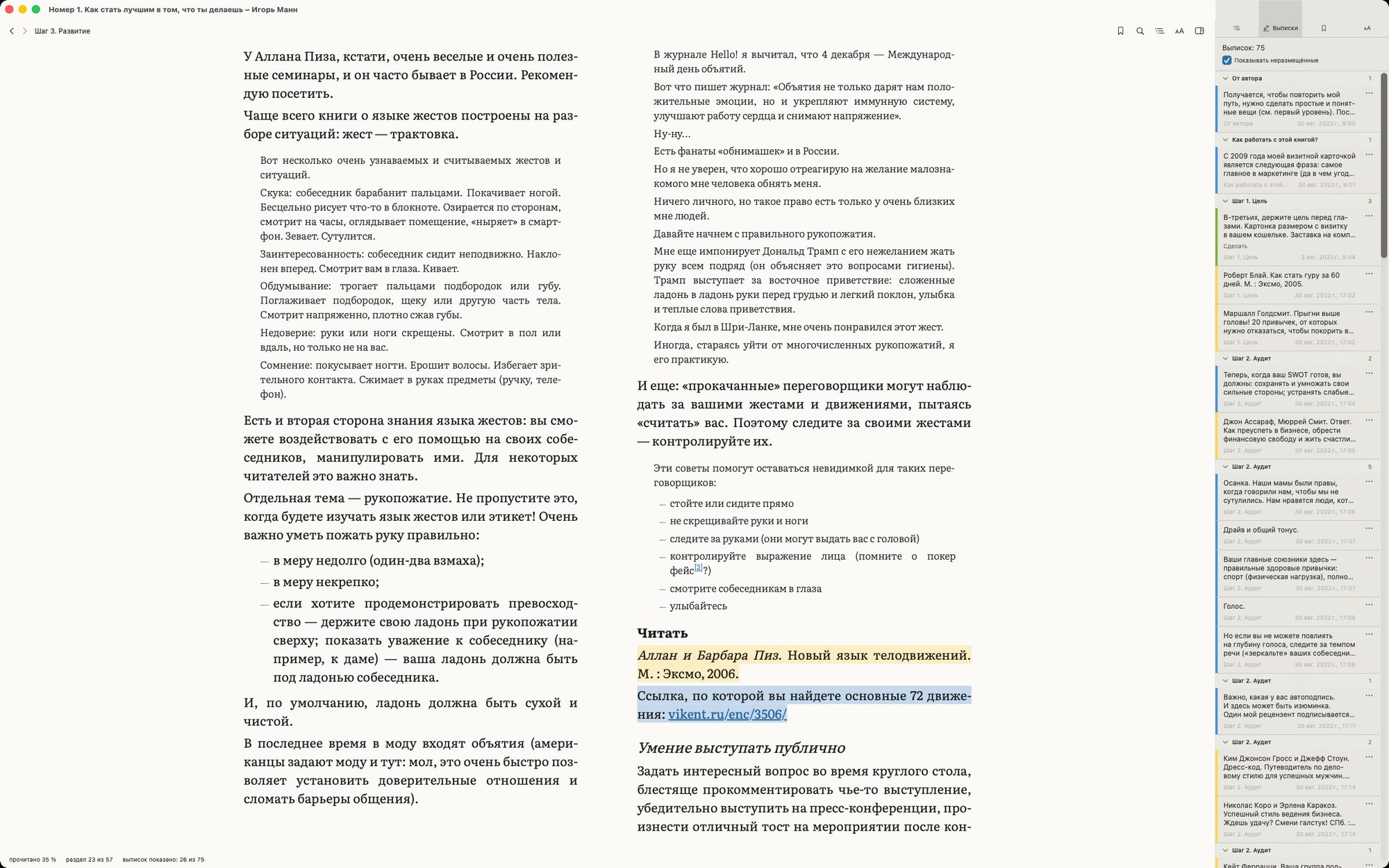
An article from the web open in the Beresta reader: two columns, highlights in three colours, its source address at the top An article from the web open in the Beresta reader in a dark window: two columns, highlights, its source address at the top
An article saved with a click in the browser, open in the same reader as any book: two columns, justified text with hyphenation, highlights. The address it came from stays at the top; the footer shows how far you have read and how many excerpts it holds.

Reading

A reader, not a viewer

The text reflows to your settings instead of being shown as it came. You notice the difference on the second page, and you have not stopped noticing it by the three hundredth.

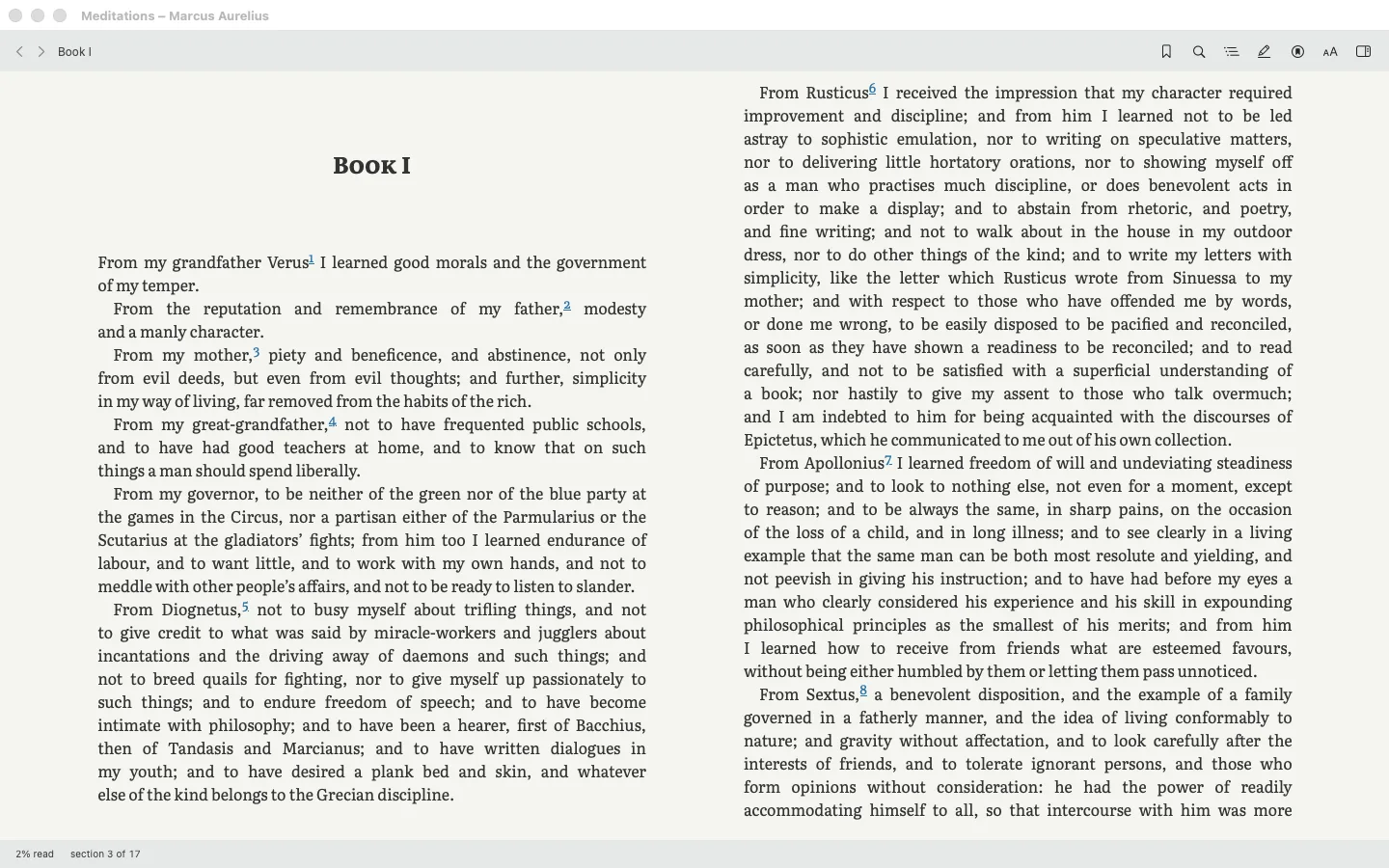
Beresta on the Mac: a book set in two columns, justified, with footnote markers and the reading position in the status bar Beresta on the Mac: a book set in two columns, justified, with footnote markers and the reading position in the status bar
Two columns on the Mac: justified text with hyphenation, footnote markers left where the author put them, and the position counted per file — section 3 of 17.

Set to your taste

Typeface, including one of your own. Size from 75 to 250 per cent, leading, column width, margins, one column or two. Justified text with proper hyphenation. Paged or continuous.

Four page schemes

Follow the system, paper, sepia and night. Night inverts PDFs too, so a scan stops glaring at you in the dark. A footnote opens in a popover instead of throwing you to the end of the chapter.

Pick up where you actually stopped

Each device keeps its own reading place, so opening a book on your Mac doesn't overwrite how far you got on the phone. Beresta offers to continue from the furthest point, not from yesterday's.

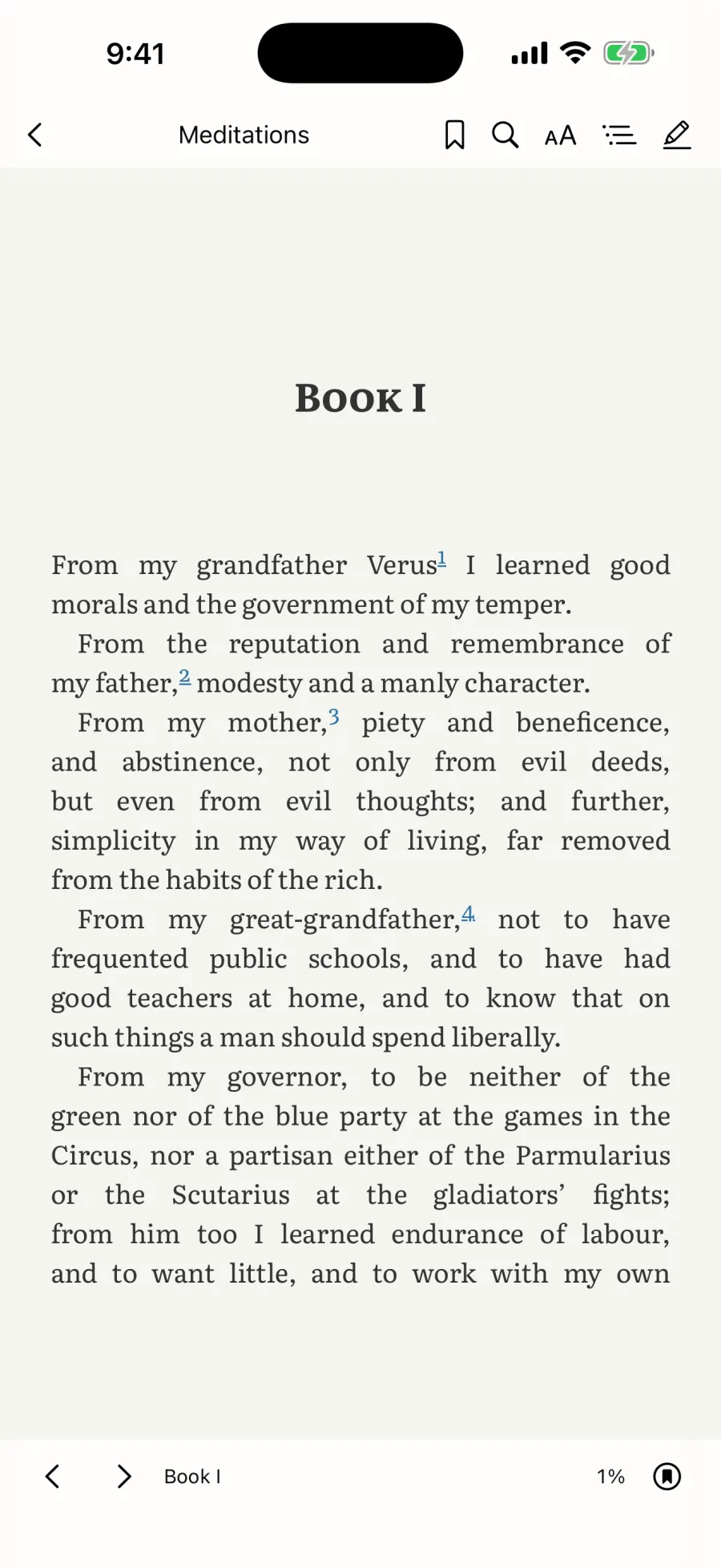
The same book on iPhone: a justified page with footnote markers and reading progress at the foot The same book on iPhone: a justified page with footnote markers and reading progress at the foot
The same book on iPhone — a page, not a scroll of the file.
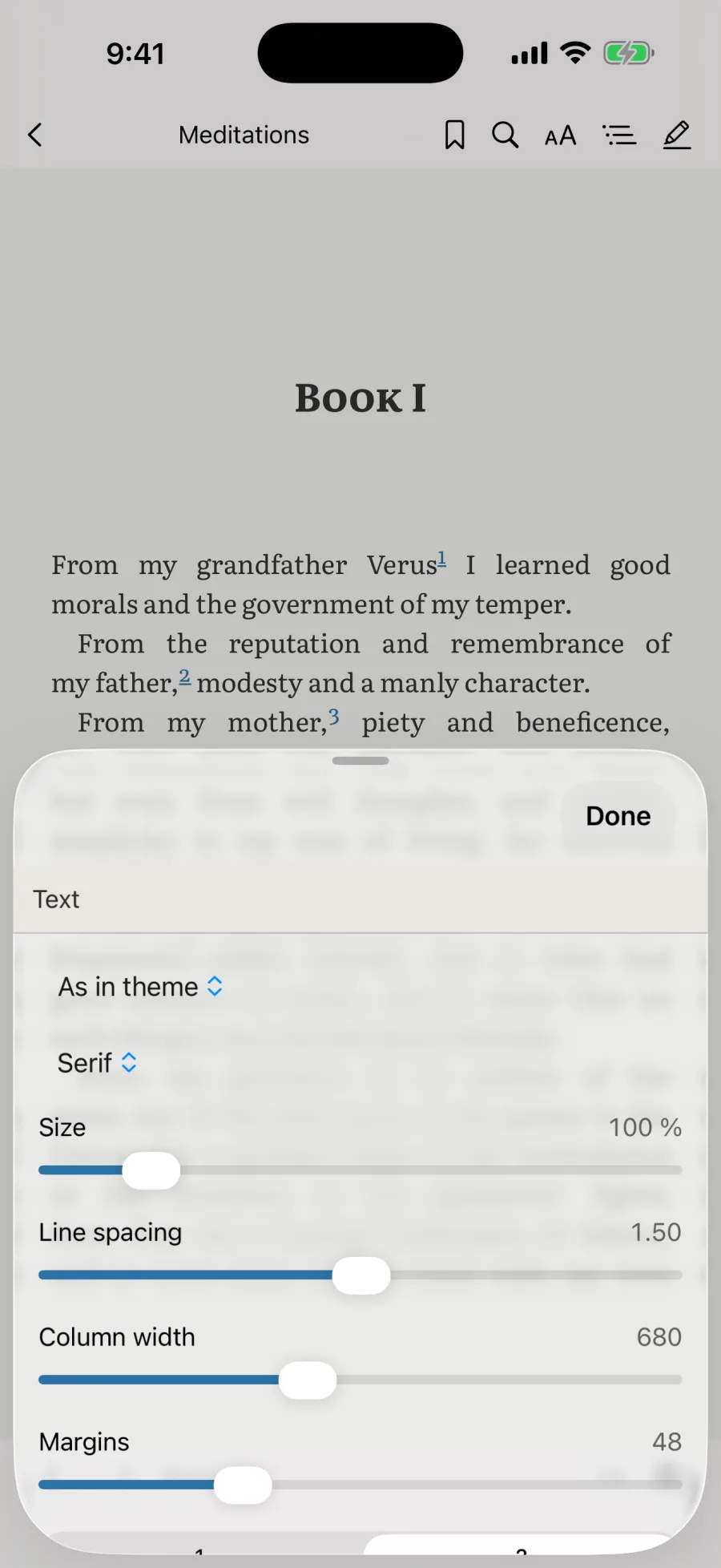
The typesetting panel over a page: typeface, size, line spacing, column width and margins The typesetting panel over a page: typeface, size, line spacing, column width and margins
And the panel that sets it: typeface, size, leading, column width, margins — on the phone, not only on the Mac.

Highlights, and coming back to them

Six highlight colours, your own thought beside the quote, a panel of excerpts grouped by chapter: pick a quote and you are in the text, and back again. And then the excerpts return to you on their own — the daily review shows five cards, and the intervals are worked out by an FSRS‑6 implementation running entirely on your device, with no server and no subscription.

Honestly, where reading ends

  • EPUB, PDF, FB2, TXT and MOBI open. DJVU and CBZ do not.
  • Import from Calibre and Zotero, tags and editing a book are Mac only.
  • Web clipping is Safari on the Mac: the extension ships inside the app. The Chrome and Firefox builds are not published.
  • Pencil marks work on iPad only, and only over PDFs.
  • A book cannot run its own code: no script from the file is executed, and not one node of mine is inserted into the text.
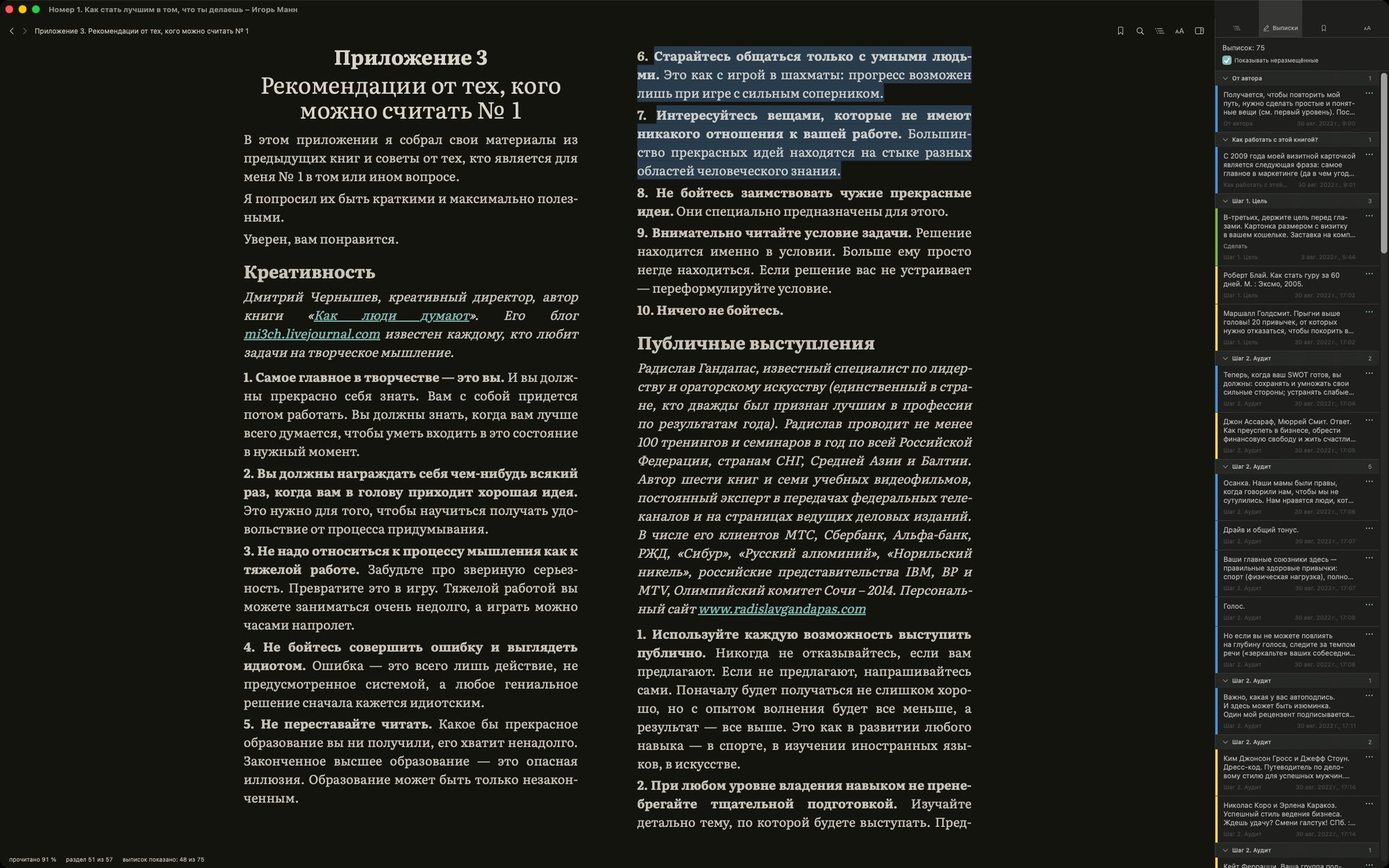
A book in Beresta with the highlight panel on the right: quotes grouped by chapter, each with its colour and date A book in Beresta using the night page scheme, with the highlight panel on the right grouping quotes by chapter
The highlight panel on the right: 75 quotes from one book, laid out by chapter, each with its colour and date. On the left, the night page scheme — one of four.

The promise

Yours and only yours

“Yours and only yours” turns into a slogan easily, so every claim below rests on how the program is built, not on good intentions.

No server of mine

Books and highlights sit on your disk. The app works fully offline. Between devices your data moves through storage of your own: a folder you pick — iCloud Drive included — or your own Backblaze B2 bucket or WebDAV server. To B2 and WebDAV it goes encrypted: the key is derived from your passphrase on the device itself and I never see it. Through a plain folder the files travel as they are, the way any other file of yours sits in that folder. Either way, not one copy reaches me.

No one else's kill switch

Nobody revokes a book you bought, shuts the service down or changes the terms. Marvin, Gerty, KyBook — readers people loved. They closed, and years of margin notes went with them.

No closed format

You can leave at any moment without losing a single note.

What backs this up
  • The database is a plain SQLite file with a documented schema — any program that speaks SQL can read it. Beresta's code is not required.
  • The format is frozen at version 1.0 — before the public release, not after. Within 1.x, tables and columns may only be added, never removed.
  • Highlights export as W3C Web Annotation — a consortium standard, not something I invented.
  • None of this needs my permission, and none of it rests on my word: the format is documented in the open, and a 72-line reader prints your quotes without needing Beresta, Obsidian or even SQLite — just the Python that ships with your machine.
  • To B2 and WebDAV, sync is encrypted on your device before it is sent: the key is derived from your passphrase over 600,000 rounds. Through a folder the files lie as they are — there your storage guards them, not Beresta. I hold neither the key nor a server it could land on.
  • The Obsidian plugin is part of the design, not an add-on: notes land in ordinary Markdown files that will outlive both Beresta and Obsidian.

Where excerpts land

Highlights, already in your notes

Every excerpt arrives with an address — part, chapter, section — and a link that opens the book exactly where you stopped.

The highlight colour survives, your comment stands next to the quote, your tags stay yours. The exchange is one-way: the plugin only writes to notes and never reads them back — a parsing mistake would damage your own records.

Fatigue rarely comes from work; more often it comes from decisions left open all day.

Part III → A week as a unit → #attention

We measure time willingly and attention almost never, though the second runs out faster.

Part III → A week as a unit
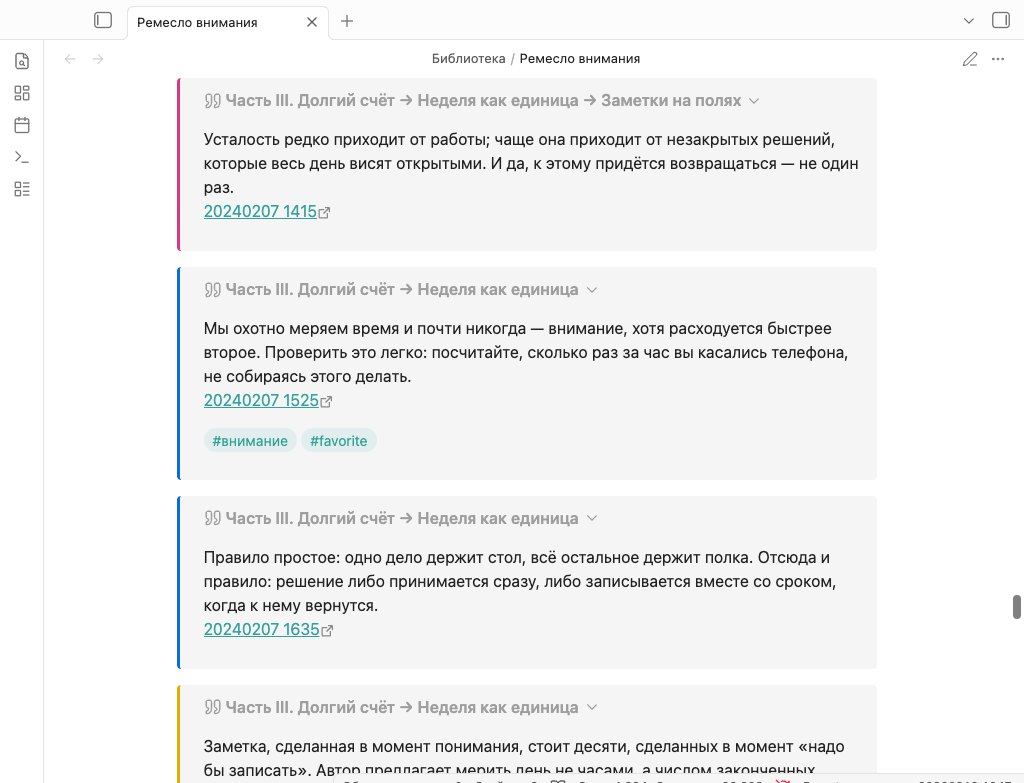
A note in Obsidian assembled from Beresta highlights: quotes with colour bars, breadcrumbs and back links A note in Obsidian assembled from Beresta highlights: quotes with colour bars, breadcrumbs and back links
A book marked up in Beresta and the note the plugin assembled from those highlights on its own.

Neighbours

Readwise Reader, Calibre, Zotero — and where Beresta sits

Three programs already do parts of this work, and some of those parts better than I do. So the case for each one starts with what it does better.

Readwise Reader

$119.88 a year

no free tier —
a 30-day trial only.
Not sold apart
from Readwise

Better than me

Feeds arrive in the background while the app is closed — mine are polled only when the window is open. There is a mail address for newsletters, parsing of videos and threads, summaries, reading aloud. It pulls highlights out of Kindle, Apple Books, Instapaper and Pocket, which Beresta will never reach. Today it already runs in a browser, on Windows and on Android — with me that is still only a promised web version; its extensions install from the stores in one click as well.

What I took

The idea that what you save should be handed back to you rather than filed away. The daily review grew out of theirs — except the intervals are worked out by your device, with no server and no subscription.

Where we differ

Reader is not a book library but a read-it-later inbox, where a book is one document type among many: no shelves, no Calibre library to bring over, files added one at a time, and you cannot highlight in several colours — tags are offered instead of colour.

And then the question of where all this lives. With them, on servers of theirs you have no access to, and with no end-to-end encryption — they say so themselves; under the terms you grant a perpetual, irrevocable licence to your content, while the service may delete your account and all its files at any moment and takes no responsibility for the loss. With me there is no account at all: a page saved from the browser goes to a receiver at 127.0.0.1, meaning it never leaves your machine, and between devices the data travels through your own folder, encrypted before it is sent.
Calibre

free

GPL, since 2006

Better than me

As a catalogue Calibre is stronger than Beresta and will stay stronger: 27 input formats against my five, conversion between them, sending a book straight to a Kindle, an EPUB editor, plugins, covers and metadata fetched by title or ISBN, Windows and Linux — and all of it free, for the twentieth year running.

What I took

The library itself: it moves over whole — books, covers, shelves and the highlights you already made. And the principle underneath it: a catalogue should be a file another program can open.

Where we differ

In Calibre the reader is a separate program and a highlight lives attached to its book. Here they are one thing, and the excerpt is a first-class object: it has a panel, a search, your own thought beside the quote, and a way of coming back to you over time. Duplicates are folded together on two clues of differing strength, and the program remembers when you decide two books are not the same.

Calibre's own manual tells you not to keep the library on a network or cloud drive: “if you put your calibre library in Google Drive, you will suffer data loss.” There is no native iPhone app: the only way in is a browser, and it works only while a Calibre server is running at home. In Beresta, moving through your own folder is the normal mode, and an encrypted one.

Zotero

free

300 MB of storage,
then from $20 a year

Better than me

One click in the browser and Zotero has the citation; one more and it sits in your Word document in any of thousands of styles. Shared group libraries, DOI and ISBN lookup, OCR of scans, Windows, Linux, Android. If a book is a source for something you are writing, use Zotero — Beresta does not do this and is not going to.

What I took

The link back into the exact spot: Zotero did it first and without a middleman — zotero://open-pdf, and here it is beresta://open/<uuid>. And a road running our way: documents, annotations, saved snapshots and the collection tree all move over from Zotero.

Where we differ

Zotero displays a document; Beresta typesets it: the text reflows to your size, margins and columns, there are four page schemes, justification with hyphenation, footnotes in a popover. A saved snapshot from Zotero becomes a readable book here rather than a saved web page.

Zotero's sync runs only through Zotero's own servers: WebDAV covers the attached files, but highlights, notes and tags still travel through them. The schema is not frozen, and Zotero asks you outright not to depend on it — “the SQLite database structure can change between Zotero releases.” Beresta's schema freezes at 1.0 before the public release, and inside 1.x things may only be added.

What none of the three does is hold the book, its markup and the way into your notes in one place, entirely on a disk you own. That is the whole reason Beresta exists.

Beresta — paid, closed source, open data format; the Obsidian plugin and browser extensions are MIT.

Honestly, where it stands

What works already, and what does not

works

  • Library: shelves, tags, filtering, covers, duplicate merging, lossless moves from Calibre and Zotero.
  • Reading EPUB, PDF and FB2: set to your taste, four page schemes, contents, footnotes, your place kept per file.
  • Highlights: six colours, your own thought beside the quote, a panel grouped by chapter.
  • Coming back to them: a daily review of five cards, intervals worked out on the device.
  • Articles from the web: a button in Chrome, Safari and Firefox, plus feed subscriptions.
  • Obsidian plugin: excerpts filed per book, links back into the book.
  • iPhone and iPad: library, reading, finger selection, highlight panel, review.
  • Exchange between devices through storage of your own — encrypted to B2 and WebDAV, as-is through a folder.

not yet

  • A Windows version: today the app runs on Mac, iPhone and iPad. Windows is next — a full app, not an add-on to the Mac one.
  • On the phone — tags and editing a book record: those are Mac only for now.
  • Chrome and Firefox extensions: clipping works in Safari, on the Mac.
  • A sync server of my own — the exchange goes through storage of your own.
3,812
automated checks
21 GB
library it is tested on
SQLite
open database format

Questions

What people ask

Where do I get it?

On the App Store, one purchase covering Mac, iPhone and iPad: apps.apple.com. It needs macOS 26 or iOS 26; on anything older it will not launch. Before the release it ran on my own machines every day, against a live library of two thousand-odd records and 21 GB of files — and it is still tested against that library.

What will it cost?

$19.99 in the US, 1,790 ₽ in Russia, 11,990 ₸ in Kazakhstan — one purchase covering Mac, iPhone and iPad. It is a one-time purchase with a year of updates included; renewing after that is optional, and the version you bought keeps working for good. No subscription. And separately: your books and highlights are not locked inside the app — the database is in an open format, so you can walk away at any point without losing anything.

What happens to my books if the project stops?

Nothing happens to them. The database is a plain SQLite file with a documented schema, the books are ordinary files on your disk, and highlights export as W3C Web Annotation and Markdown. You do not need Beresta itself to read any of it: any program that speaks SQL will do. The schema is documented and published, and a 72-line reader in Python sits beside it — it prints your quotes without needing Beresta or Obsidian. The way out does not depend on what becomes of me.

Will there be a Windows, Linux or Android version?

Yes — though not at once, and not as a separate app for every system: one person cannot do four platforms properly, and doing them badly is worse than not doing them at all. The way there is the web version. It opens your library straight in a browser, which means Windows, Linux and Android as well. It only reads, and it reads from the same storage of yours that sync already uses: your library does not move onto a server of mine, and is not kept there. I am not naming dates yet: first the release for Mac, iPhone and iPad; the web version is the next milestone. That order has been the plan since day one.

Do I need Obsidian to use it?

No. The library and the reader stand on their own. The plugin is there for people whose notes already live in Obsidian — if yours don't, nothing is missing.

Can it import my Kindle highlights?

Not today — and it is the most common request I have not closed. What does move over completely is a Calibre or Zotero library: books, covers, shelves, the collection tree and the highlights already in them.

How does syncing between devices work?

Through storage you choose: a folder — iCloud Drive included — or your own Backblaze B2 bucket or WebDAV server. To B2 and WebDAV the data is encrypted on your device before it is sent: the key comes from your passphrase and I do not hold it. Through a folder the files travel as they are, so pick a folder you trust. I run no server either, so there is nothing to intercept and nowhere to intercept it. When a server does appear, it will be an option rather than a requirement.

Can it save articles from the web?

Yes. A button in Chrome, Safari or Firefox files the page into your library: Beresta builds a real EPUB with images from it, which reads in the same reader and takes the same highlights, and the original snapshot and address stay beside it. The page does not go to anyone's cloud — the receiver listens on 127.0.0.1, on your own machine. Feeds are subscribed in the same place. Two caveats: the extensions are installed by hand for now, not from the stores, and there is no button for mobile browsers — articles reach the phone through sync.

Which formats does it open?

EPUB, PDF, FB2, TXT and MOBI. FB2 includes the old encoding that Russian libraries are full of. DJVU and CBZ do not open.

What's next

Waiting for the Windows version?

This list is now about Windows: I will write when Beresta can be installed there too. No dates until I can see them myself. People who signed up before the release get their own letter about Mac, iPhone and iPad — the one I promised.

Reading

Articles